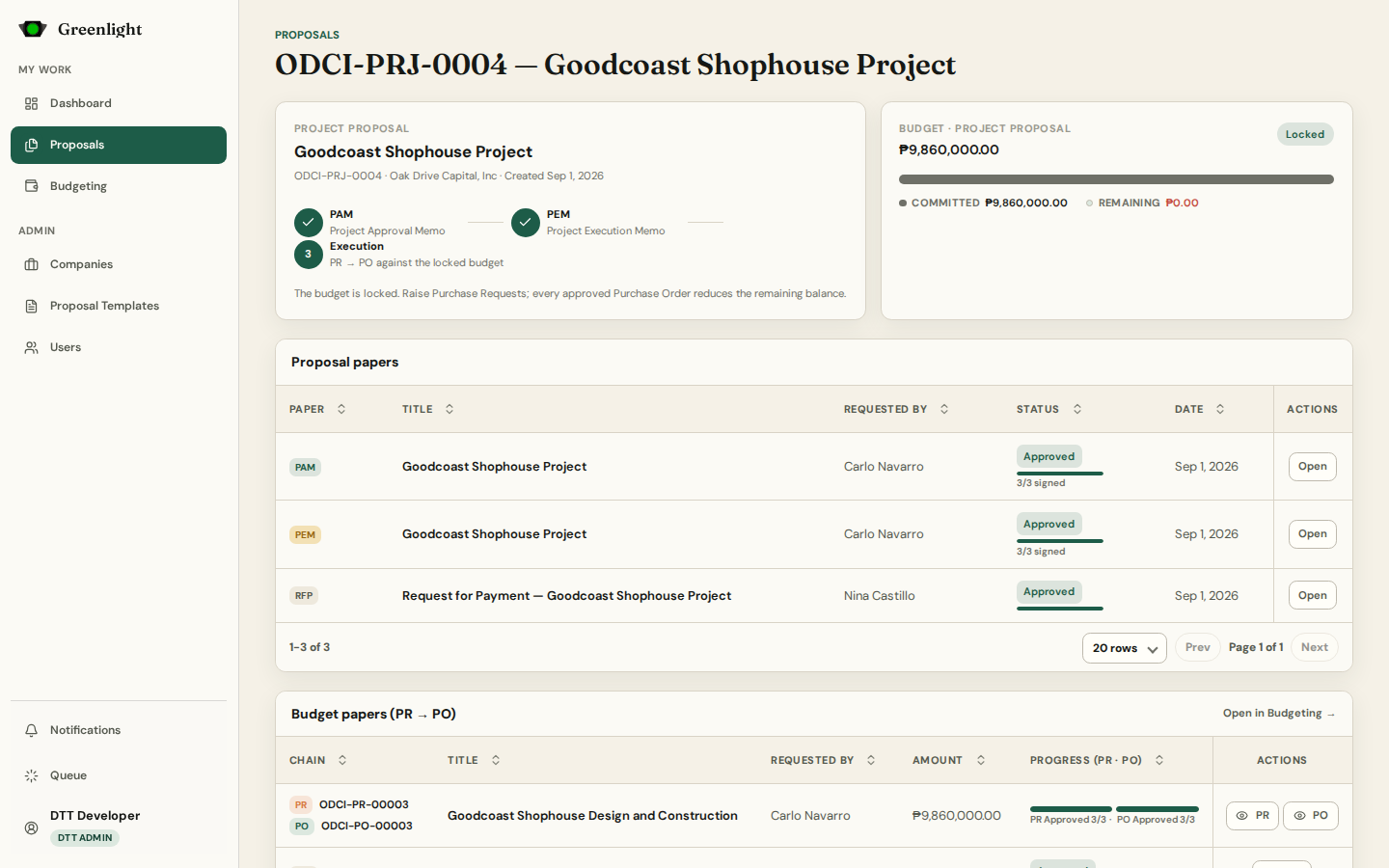
How to use this page
- 1 Open a proposal by its number from Proposals, Budgeting, or the dashboard; the address is /proposal/<uuid>.
- 2 Proposal papers lists the PAM → PEM chain (or the single Activity Proposal) with status and current approver; open any paper from here.
- 3 The Budget card shows the locked amount, what is committed, and what remains — or Unbudgeted when nothing was locked.
- 4 Budget papers (PR → PO) lists every chain drawn against this proposal; New PR starts another while budget remains.
- 5 Budget movement is the envelope ledger: commitments when a PO is approved, reversals when one is voided.
Who can change the budget
- The requester of the proposal or an administrator can set the budget from this page while nothing has drawn on it.
- PEM approval locks the envelope; after that only approvals and voids move it.