How to use this page
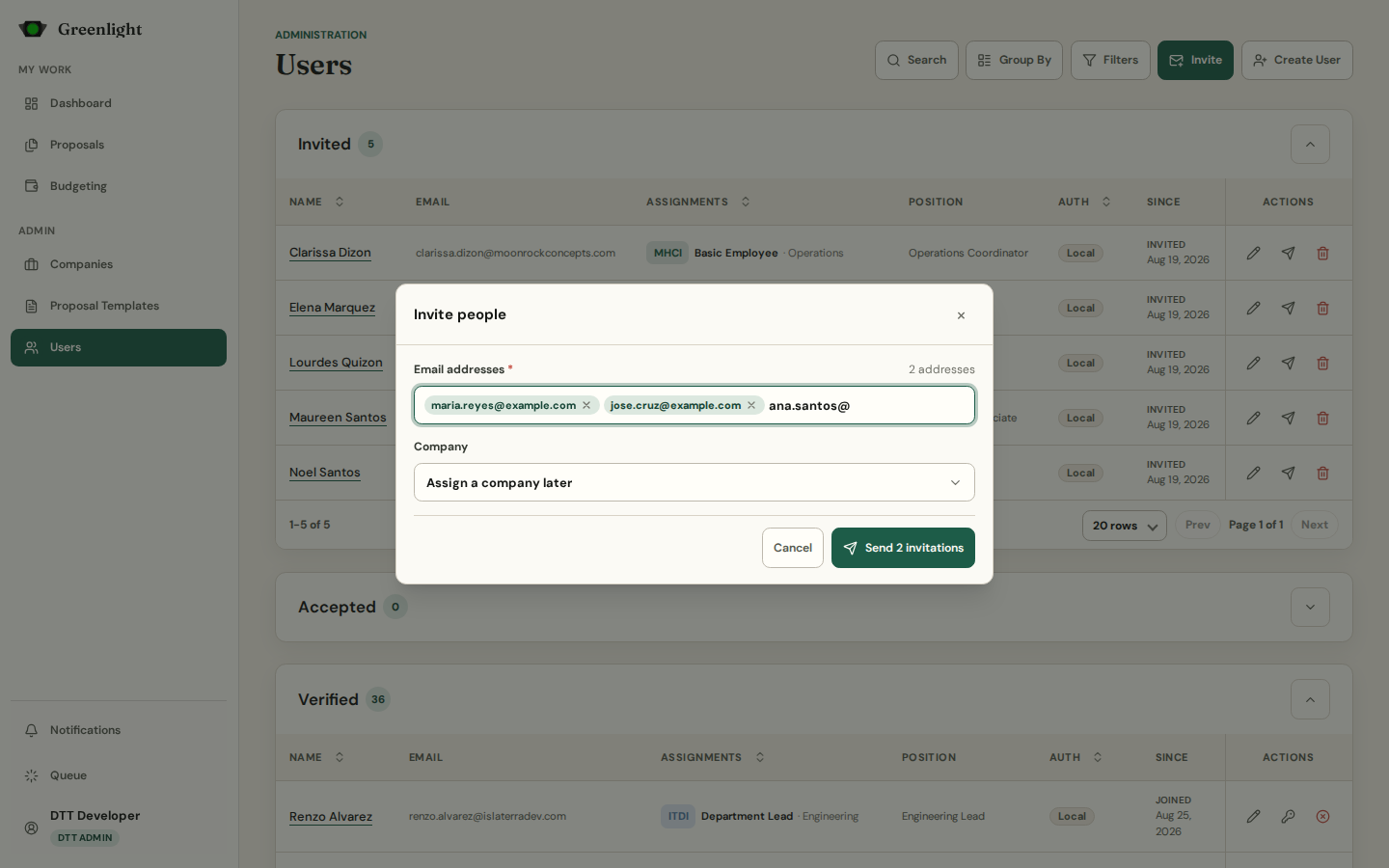
- 1 Invite opens a dialog: type email addresses (each becomes a chip; paste a list), pick the company, press Send invitations. Each address becomes an Invited account.
- 2 Invited lane: resend the invitation or delete the placeholder. Accepted lane: people who finished onboarding and wait for you.
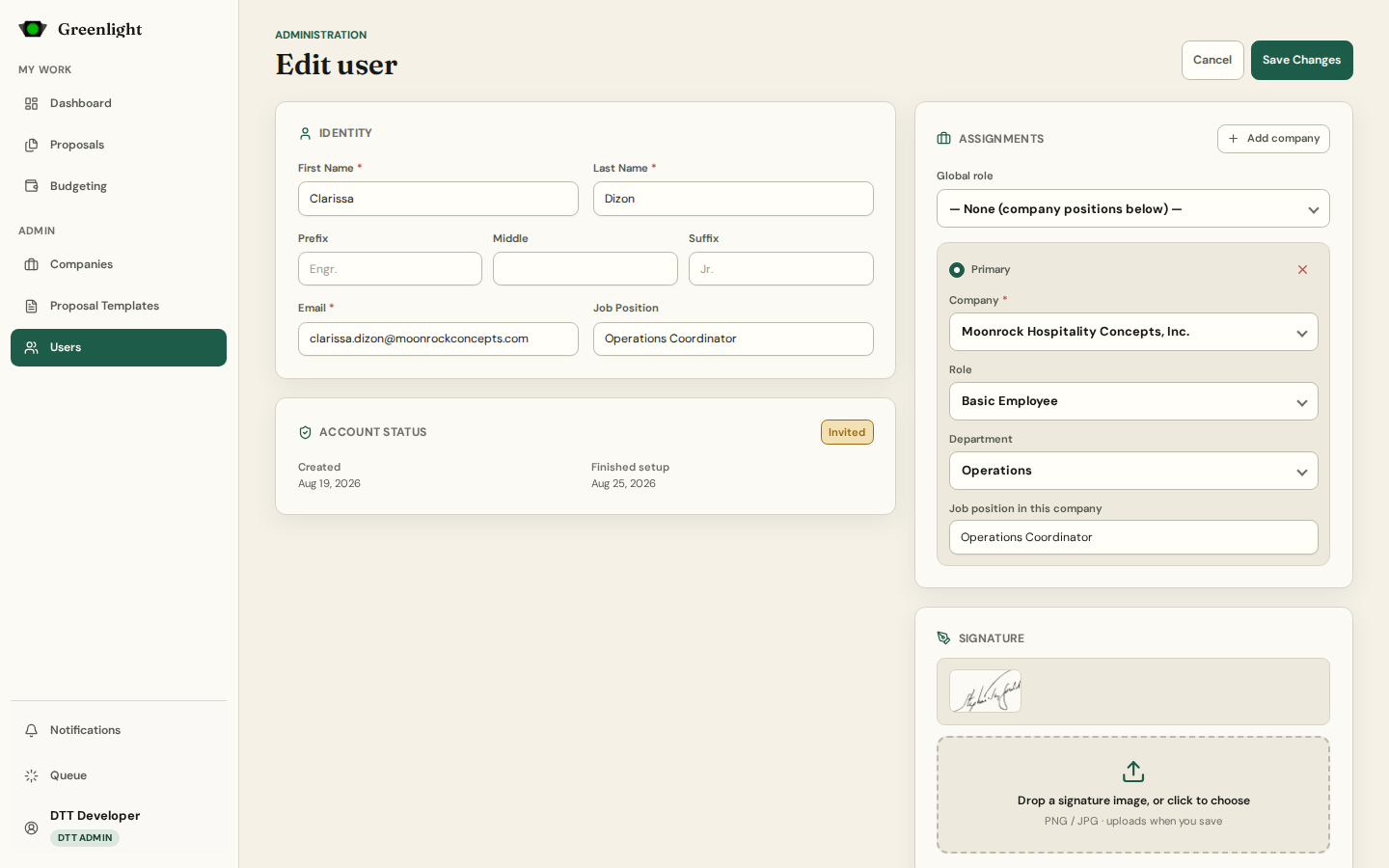
- 3 Edit user: Identity, Account status, Assignments (one row per company with role and department — a person can hold several), Signature, and the invitation or password block.
- 4 Verify on the edit page moves the account to Verified; the person is emailed and the workspace opens to them.
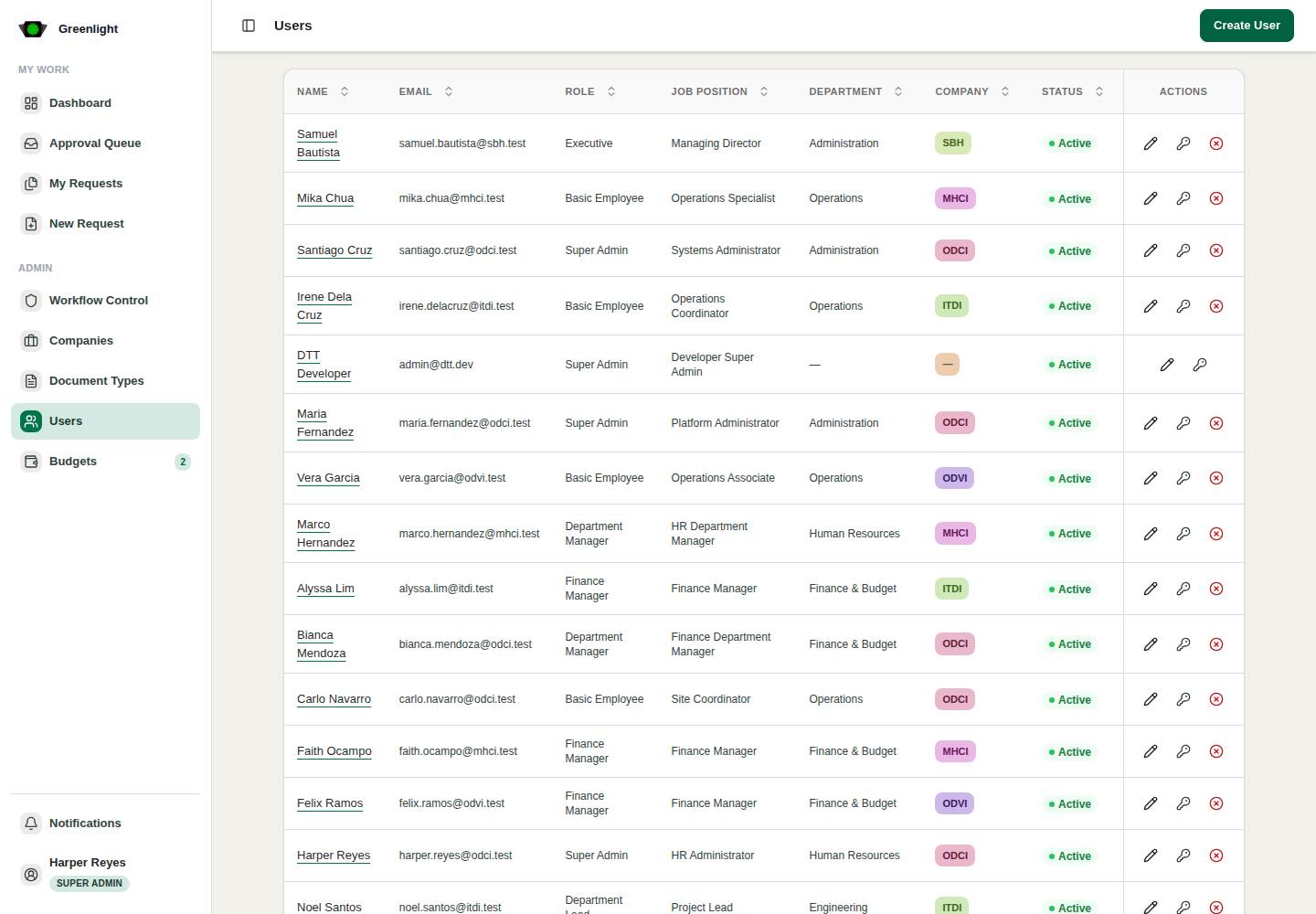
- 5 Verified lane actions: edit, Reset Password (back to the default, forced to change on next sign-in), disable. Disabled accounts keep their assignments and can be activated again.
- 6 Group By › None collapses the lanes into one list where the status column tells them apart. Search and Filters work across lanes.
Roles
- Basic Employee, Department Lead, Department Manager, Finance Manager, Executive, Company Admin, Super Admin — per company assignment.
- DTT Admin is global and the only role that can Create User (the full form) instead of inviting.
Common checks
- A missing assignment hides that company's proposals from the person.
- A Company Admin can only assign the companies they administer.
- Inactive people never appear as signatory choices.
Screenshots
Page states