How to use this page
- 1 Reach a paper through Proposal Templates › Configure › Form & Signatories, or from /admin/document-types.
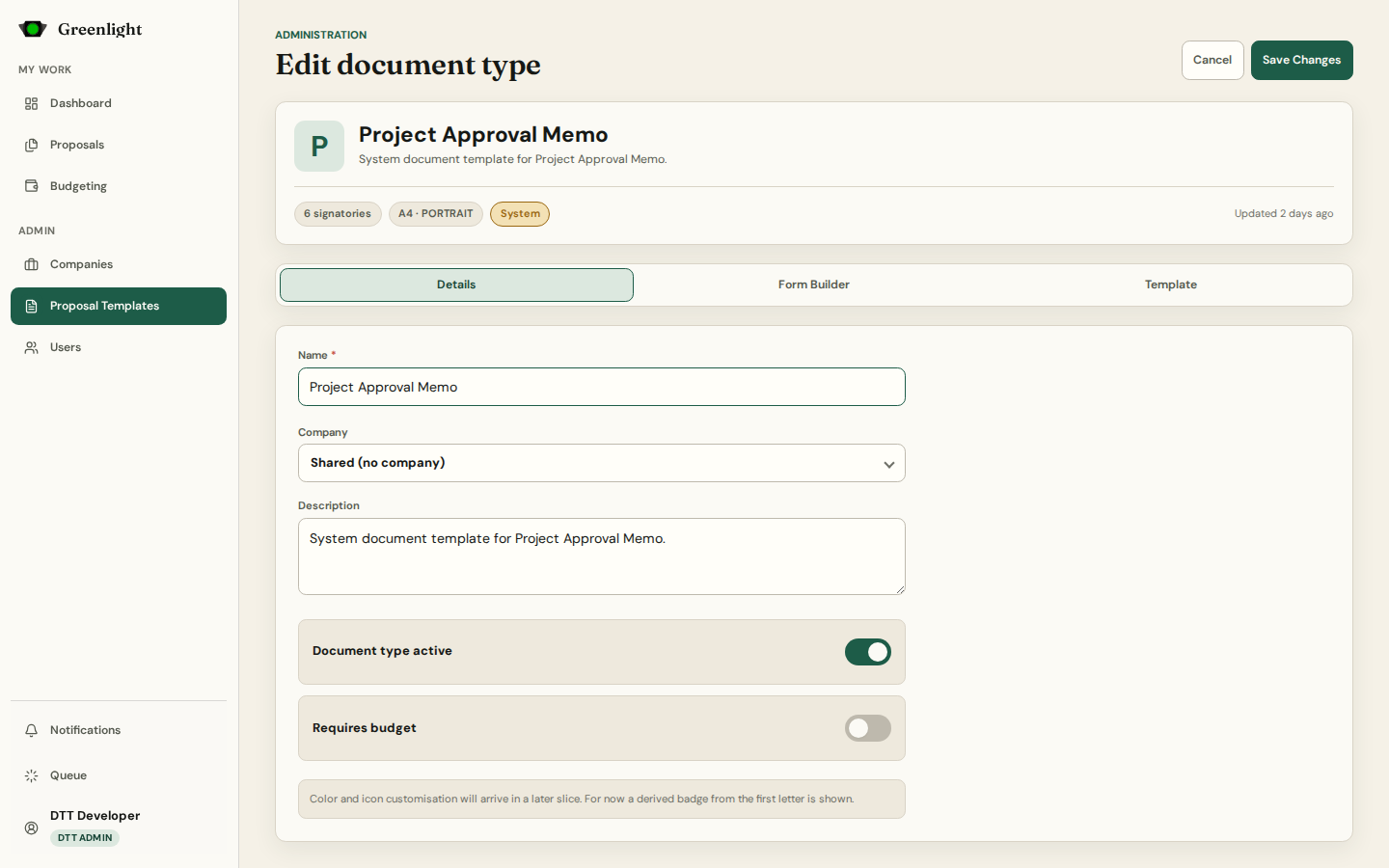
- 2 Details: name, scope, active status, whether a budget breakdown is required, and the Signatories ladder — each level with its label, who may fill it (a fixed person, a role, the requester's department lead), and the action tag.
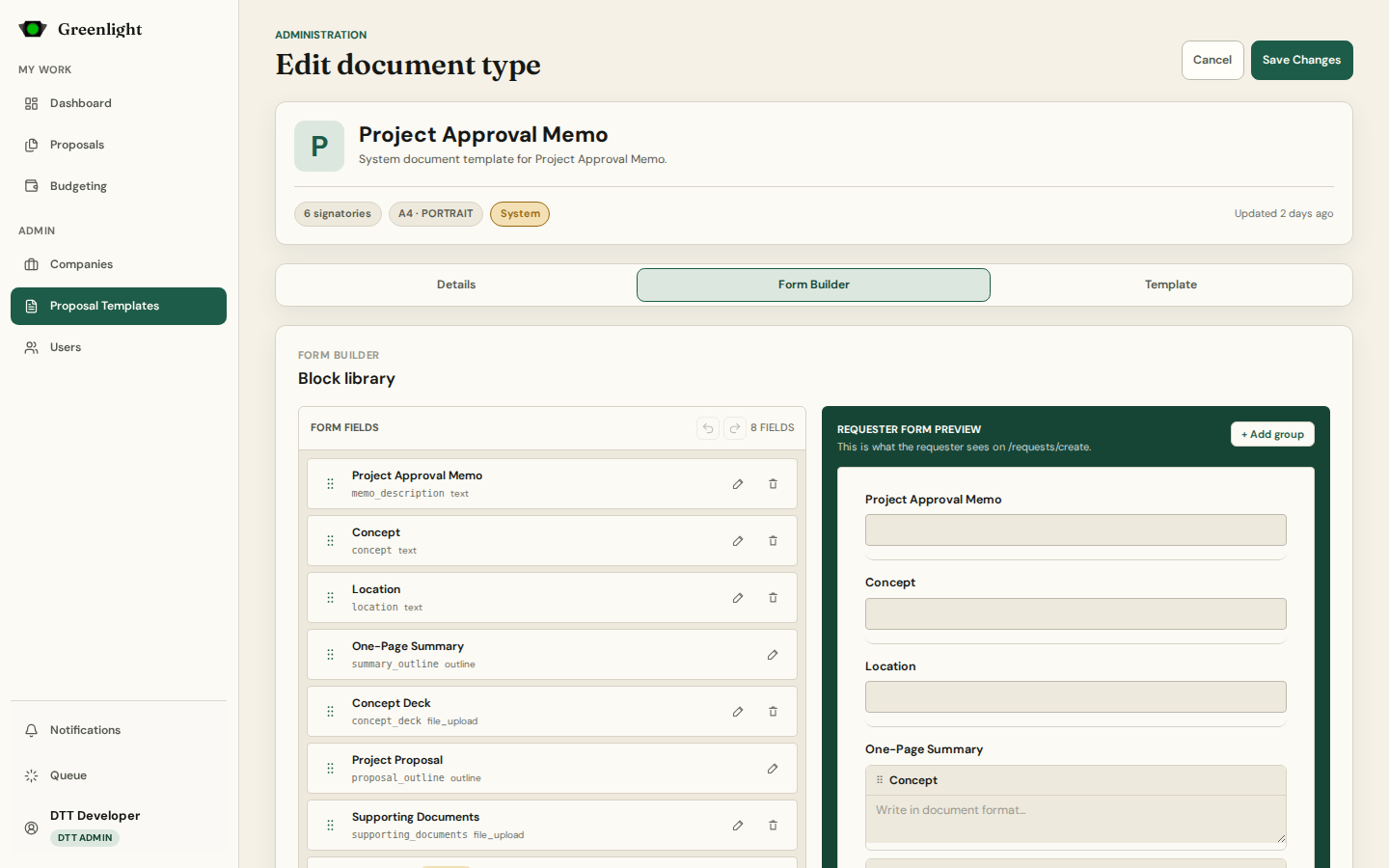
- 3 Form Builder: the fields requesters fill — rich text, dates, amounts, tables, uploads, budget rows — from a block library; the form is what Step 2 Forms shows.
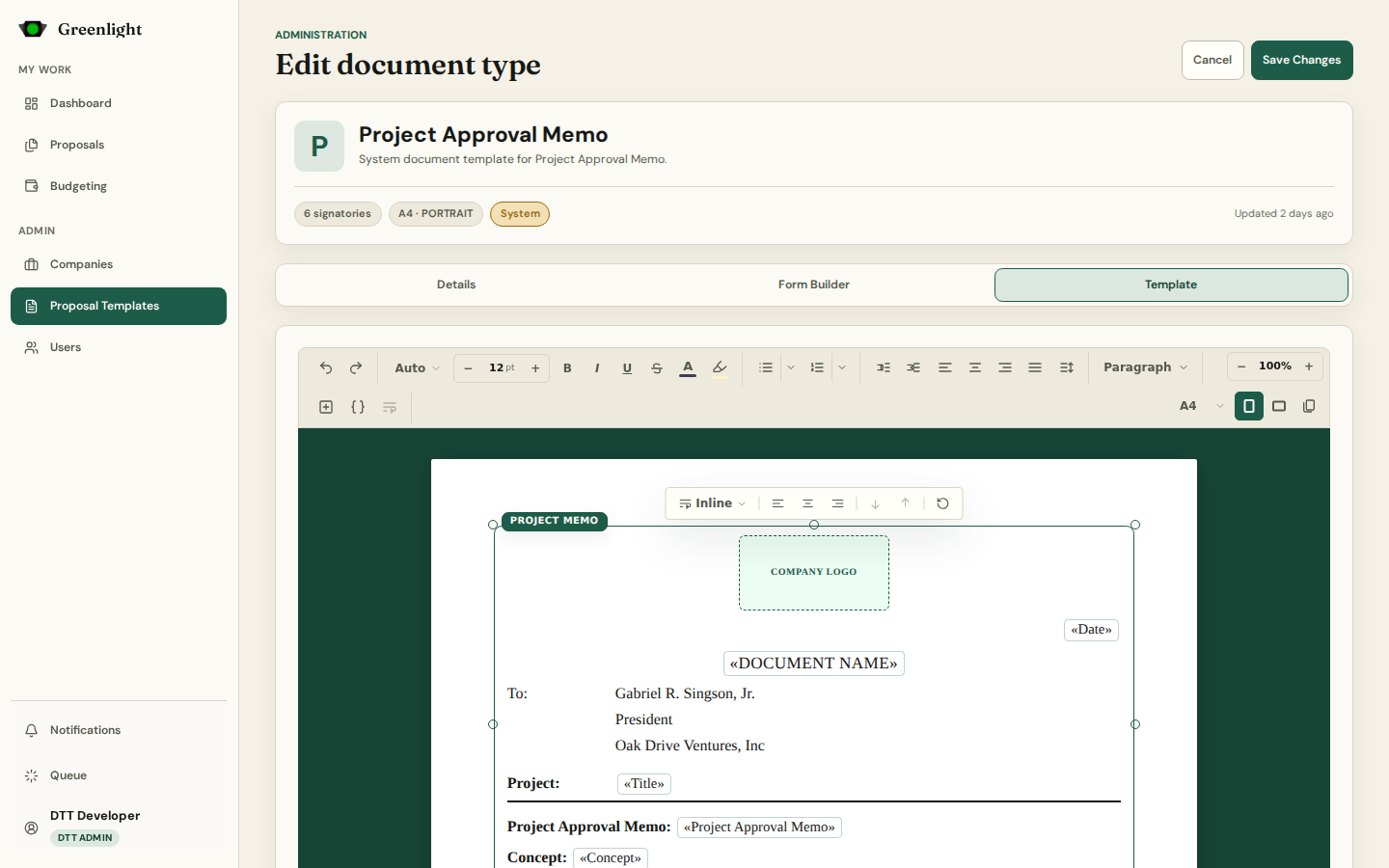
- 4 Template: the printed layout. Insert mustache placeholders for form fields and signatories; the preview resolves them.
- 5 Page view lays the document out as true printed pages; the ruler split button shows Word-style rulers for margins and tabs; zoom keeps the spot you are looking at.
- 6 Save after every tab. Export downloads the type as JSON; Import previews before applying.
Keep the three aligned
- A field removed from the form must leave the template too, or its placeholder prints empty.
- Changing signatories changes the signature page — check it in page view.
- A budget-required paper needs Budget Breakdown rows in its form.
Screenshots
Page states